

eAdvisor Is Not Just A Check-in System: It’s A Comprehensive Solution
eAdvisor focuses on every movement in the write-up process. We automate repetitive mundane actions, and free advisors to do what they do best: Engage with customers and present services.
Ready to Optimize your Service Lane?
Get Started
Explore Service Lane eAdvisor
Boost Your Dealership’s Profitability with eAdvisor. Increase auto service department profitability, streamline the check-in process, and increase customer retention and CSI scores: eAdvisor makes it easy! Download our Buyer’s Guide Here!
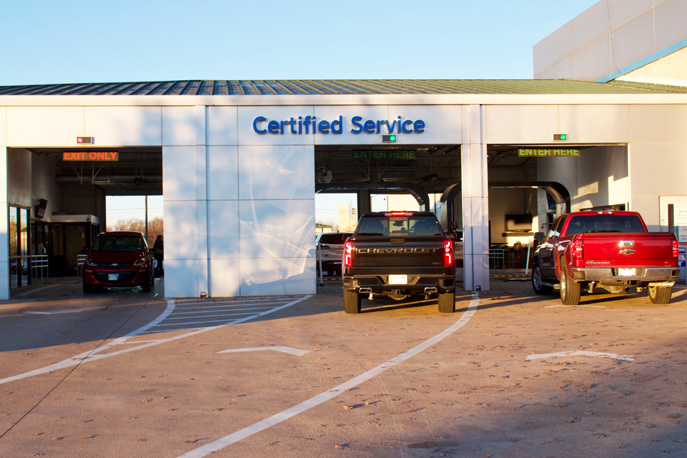
Enhancing The Check-In Process Boosts Retention
The eAdvisor process is an easy to understand, easy to implement, step-by-step system for advisors to follow. Our process has a foundation in consultative selling, is made easy by eAdvisor technology, and will dramatically improve your metrics.

Automate Your Service Lane Sales Process
The eAdvisor scan tool collects crucial vehicle data, such as VIN, odometer readings, and tire pressures, and transmits it to the advisor’s device. Once complete, it activates the vehicle’s exterior lights, signaling the advisor to begin a thorough walk-around inspection. This helps identify visible damage and prevents future misunderstandings. Additionally, eAdvisor auto-populates and auto-prints necessary reports, including OEM and maintenance reports, which are immediately ready for customer presentation. Advisors can efficiently write repair orders and discuss maintenance recommendations as soon as they return to their desks.
Enhancing the customer check-in process boosts customer satisfaction, retention and profits.
eAdvisor: Step-By-Step
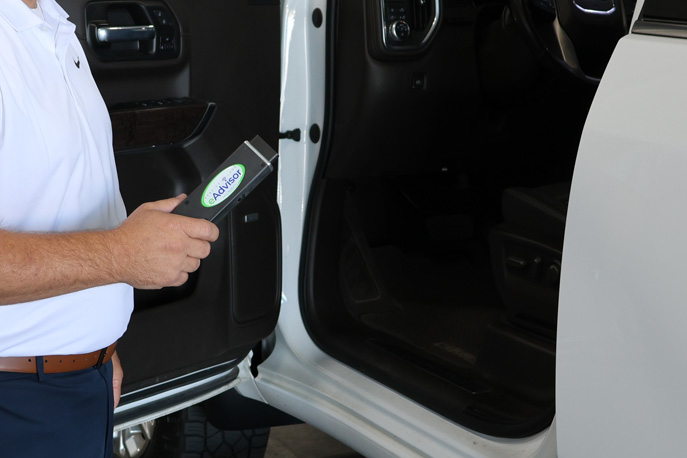
STEP 1: Greet customers at their vehicle and plug the eAdvisor scan tool into the vehicle’s OBD-II port.
eAdvisor will begin to transmit the vehicle data to the advisor’s device.
STEP 2: While eAdvisor transmits the data, the advisor can consult with the customer.
STEP 3: eAdvisor will turn on the vehicle’s exterior lights. This is a visual cue for the advisor to do a walk-around arrival inspection, checking lights, and tires.
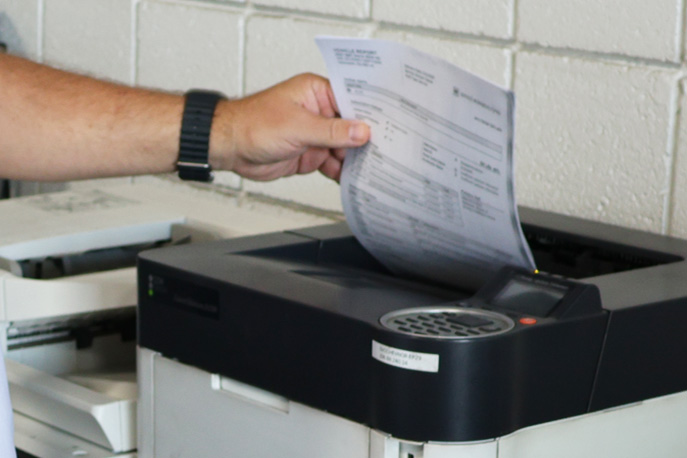
STEP 4: During the walk-around eAdvisor automatically sends the vehicle reports to the printer and can be presented immediately to the customer.
STEP 5: Use the vehicle data pulled from the vehicle to begin the repair order. Review the report for open recalls, branded titles, service contracts, or factory pre-paid maintenance.
STEP 6: Review the printed VIN-Mileage specific maintenance report to inform customers of their vehicle’s maintenance needs and recommend the purchase.
eAdvisor ensures that even the small details are not overlooked.
How eAdvisor works for you.
We pull key diagnostic info from the OBD-II port in just 5 –7 seconds, and then transmit it automatically to the advisor’s computer! While your advisor performs the walk around, eAdvisor automatically prints all the necessary OEM reports and VIN-specific maintenance recommendations, making up-selling a breeze. Overall, eAdvisor saves your team at least 3 minutes per check-in and increases their focus on the customer and selling opportunities.
Vehicle Scans
Fast, accurate vehicle scanning for speedy customer check-in
Fast, accurate vehicle scanning for speedy customer check-in
Wireless Data
Real-time vehicle data transfers wirelessly
Real-time vehicle data transfers wirelessly
RO Transfer
Vehicle data transfers to RO with a single click
Vehicle data transfers to RO with a single click
Instant Alerts
DTC and recall alerts available immediately
DTC and recall alerts available immediately
Reports
VS/VIP/OASIS report prints automatically
VS/VIP/OASIS report prints automatically
Digital Tools
Recommended maintenance menus & service contract sales tool
Recommended maintenance menus & service contract sales tool
